WebMail
  LiveChat
  Support
How to Transfer Domain: Complete Guide for Bangladesh
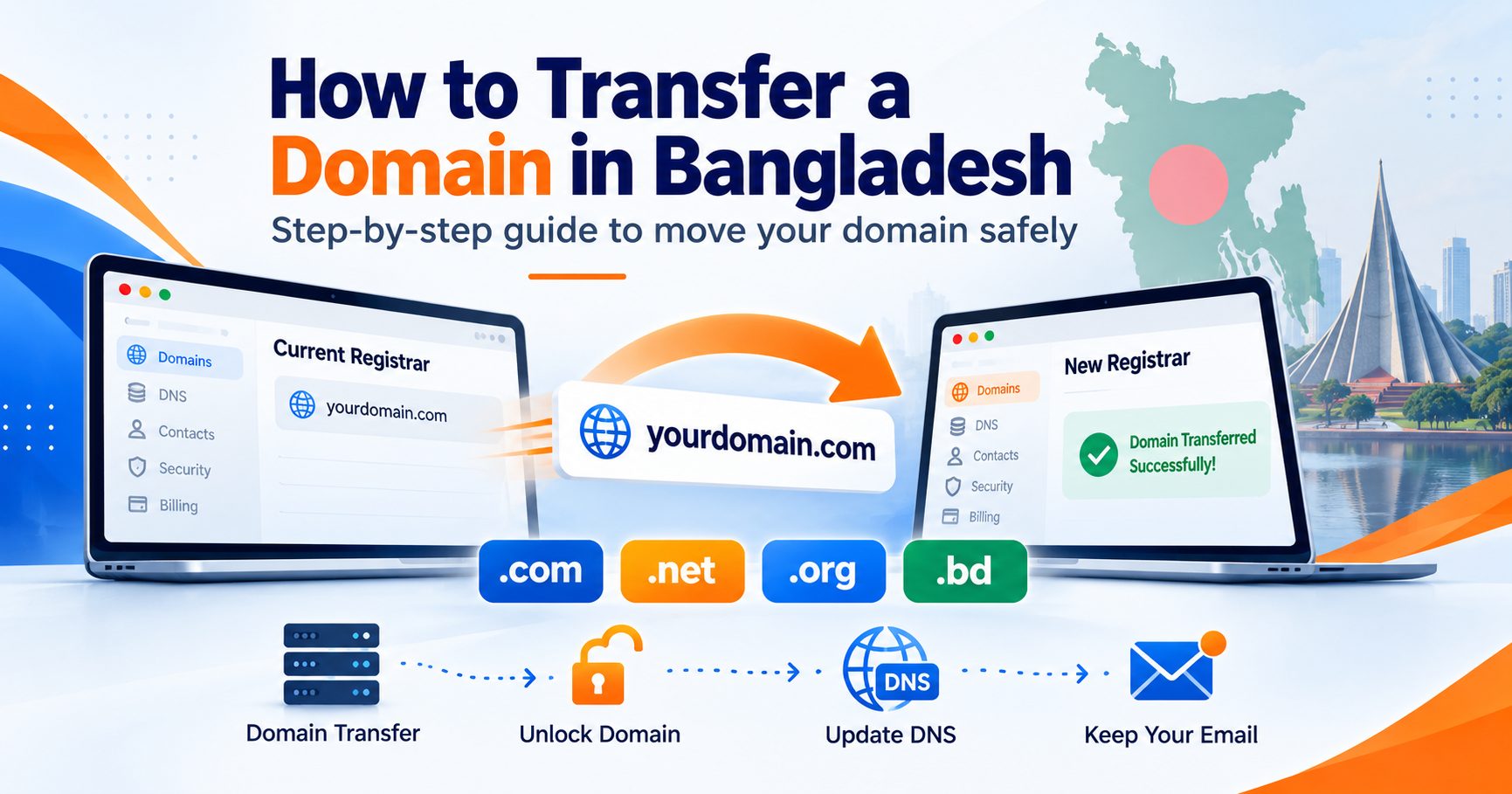
Quick answer: To transfer a domain to another registrar, unlock it, obtain the EPP (authorization) code from your current registrar, ensure your registrant email and contact information is accessible, initiate the transfer with your new registrar, and approve the confirmation email. The process typically takes 5–7 days for international domains (.com, .net, .org) and follows different rules for .bd domains through BTCL-approved registrars. In Bangladesh, domain transfer pricing varies by registrar and extension, so always check current fees before starting.
If you’ve ever stared at a domain renewal invoice and wondered why you’re paying so much more than what your friend pays at another host, you’re not alone. Domain transfer exists precisely for this reason: to give website owners the freedom to move away from expensive or unreliable registrars without losing their online identity.
For Bangladeshi website owners, bloggers, startups, and developers, understanding how to transfer domain ownership correctly matters more than ever. Local hosting providers vary widely in pricing, support quality, and technical reliability, and many site owners eventually outgrow their first registrar. Whether you bought your domain through an international platform or a local Bangladeshi provider, knowing the transfer process protects you from downtime, lost emails, and unnecessary stress.
This guide walks through everything: what a domain transfer actually involves, why people transfer domains, the exact steps to follow, timelines, costs in BDT, how to avoid losing your website or email during the move, common problems and their solutions, and the specific requirements for transferring a .bd domain within Bangladesh. By the end, you’ll have a clear, practical roadmap written from the perspective of a Bangladesh-based hosting and domain specialist that goes further than generic international tutorials by addressing local pricing, local providers, and local domain extension rules.
What Is a Domain Transfer?
A domain transfer is the process of moving a domain name’s registration from one registrar to another, while keeping the domain name itself, its ownership, and (ideally) its website and email services intact. Think of your registrar as the company that manages your domain’s registration record with the global domain system. Transferring domains simply means changing which company holds that management role. Your domain name doesn’t change, and your website doesn’t need to move servers unless you choose to do that separately.
This is different from a website migration, which involves moving your actual website files, databases, and hosting environment from one hosting provider to another. Domain transfer and website migration often get confused, but they solve different problems. You can transfer a domain without touching your website at all, and you can migrate a website without ever changing your domain registrar.
Aspect | Domain Transfer | Website Migration |
|---|---|---|
What moves | Domain registration record | Website files, database, hosting environment |
What stays the same | Website, hosting, email (if configured correctly) | Domain name |
Typical timeline | 5–7 days (international TLDs) | Hours to a few days |
Common reason | Switching registrars for price or support | Switching hosting providers for performance or features |
Risk if done incorrectly | Domain lockout, email downtime | Website downtime, data loss |
Understanding this distinction up front prevents a common mistake: assuming that transferring your domain will also move your website. It won’t, unless you deliberately update your DNS settings to point to new hosting, which we’ll cover later in this guide.
Why Transfer Your Domain?

Bangladeshi site owners transfer domains for several practical reasons:
Better pricing. Registrar pricing for .com, .net, and .org domains varies significantly. Some registrars offer attractive first-year rates but charge much higher renewal fees, a tactic worth watching closely before you commit long-term.
Better support. Local support in Bangla, faster response times, and technical assistance during business hours matter when something goes wrong with your domain or hosting setup.
Consolidating hosting and domain management. Many business owners prefer managing their domain and hosting account from a single dashboard. If your domain and website are with different providers, transferring your domain to your hosting provider (or vice versa) can simplify renewals, DNS management, and billing.
More control and better security features. Not every registrar offers the same level of security. Two-factor authentication, domain locking, and WHOIS privacy protection aren’t universal, and some Bangladeshi website owners switch registrars specifically to access stronger account protection.
Dissatisfaction with a previous provider. Poor uptime, unclear billing, or unresponsive support are common triggers for a transfer decision.
Whatever the reason, the technical process remains largely the same, and planning ahead avoids the vast majority of transfer problems.
Before You Transfer Your Domain: Checklist
Rushing into a domain transfer without preparation is the single biggest cause of failed or delayed transfers. Work through this checklist first:
- Confirm eligibility. Most generic domains cannot be transferred within 60 days of initial registration, a previous transfer, or certain registrant information changes. Check your registrar’s current transfer policy before starting, as rules can vary.
- Unlock the domain. Most registrars apply a transfer lock by default to prevent unauthorized transfers. You’ll need to log into your current registrar’s dashboard and disable this lock before starting.
- Obtain the EPP code. Also called an authorization code or transfer key, the EPP code is a unique code your current registrar provides to verify you own the domain and authorize its release.
- Verify your admin email address. The email associated with your domain’s WHOIS record needs to be accurate and accessible, since transfer confirmation requests are sent there.
- Check registrant contact accessibility. Ensure your registrant email and contact information is accessible throughout the transfer process. Some registrars may require privacy settings changes depending on their transfer process, so confirm with your current provider what’s needed.
- Check your domain’s expiry date. Avoid starting a transfer if your domain is close to expiring, as transfers near the expiry date can sometimes complicate renewal timing.
- Back up your DNS records. Before transferring, copy down all existing DNS records (A records, MX records, CNAME records, TXT records) so you can recreate them at the new registrar if needed. This single step prevents the majority of post-transfer website and email outages.
Completing this checklist before you touch anything else will save you hours of troubleshooting later.
How to Transfer Domain: Step-by-Step Guide

Once your checklist is complete, follow these eight steps to transfer your domain to another registrar.
Step 1: Choose your new registrar. Compare pricing, renewal rates, support quality, and included features such as WHOIS privacy and DNS management. For Bangladeshi users, OrangeSoft BD offers domain and hosting management from one dashboard, with local support and transparent BDT pricing, a practical choice if you also want to consolidate your hosting.
Step 2: Prepare your domain for transfer. Confirm that most generic domains cannot be transferred within 60 days of initial registration, a previous transfer, or certain registrant information changes — check your registrar’s current transfer policy to be sure. Also verify the domain isn’t in a pending transfer dispute and that your WHOIS/admin email address is accurate and accessible.
Step 3: Unlock the domain. Log into your current registrar’s control panel and turn off the domain lock (sometimes labeled “Registrar-Lock” or “Transfer Lock”).
Step 4: Request the EPP code. Navigate to your domain’s management settings and request the EPP/authorization code. Most registrars email this code or display it directly in the dashboard. If it doesn’t arrive within a few minutes, check spam folders or contact support.
Step 5: Start the transfer at your new registrar. Log into your new registrar’s account (for example, your OrangeSoft BD dashboard), choose the domain transfer option, enter your domain name, and input the EPP code when prompted.
Step 6: Confirm the transfer via email. You’ll receive a confirmation email at the domain’s admin address. Check both the losing and gaining registrar’s emails. Click the approval link promptly, since delays can stall the entire process.
Step 7: Wait for the transfer to complete. Most transfers for .com, .net, and .org domains take 5–7 days. Some registrars offer expedited transfers if both the losing and gaining registrar confirm immediately, but five to seven days remains the standard window to plan around.
Step 8: Verify DNS settings after the transfer. Once the transfer completes, log into your new registrar and confirm your DNS records match what you backed up earlier. Check that your website loads correctly and that email is still being delivered through MX records before considering the job done.
How Long Does Domain Transfer Take?
For most generic TLDs (.com, .net, .org), a domain transfer takes between 5 and 7 days from the moment you approve the confirmation email. Several factors affect this timeline:
- Approval speed. If you confirm the transfer request immediately, it can occasionally complete sooner; delays in approving push the timeline closer to the maximum.
- Registrar processing time. Some registrars process requests faster than others.
- Domain lock status. An unremoved transfer lock will stop the process from starting at all.
- TLD-specific rules. Country-code domains like .bd often follow a different and sometimes longer process, since they’re managed through BTCL-approved local registrars rather than the standard ICANN transfer system.
While you wait, avoid making further changes to your DNS settings or WHOIS information, since this can reset or interrupt the transfer. It’s a good time to prepare your new hosting environment, update any documentation, and notify team members if a business-critical domain is in transit.
Domain Transfer Cost in Bangladesh
Domain transfer pricing in Bangladesh depends on the TLD and the registrar you’re moving to. Pricing changes regularly, so always check the current transfer and renewal fees directly with your chosen registrar before starting. As a general guide:
- .com domains: Transfer pricing varies by registrar and often includes a mandatory one-year renewal. Always check the current transfer fee and renewal rate directly with your chosen provider before starting.
- .net and .org domains: Pricing follows a similar structure to .com but differs between registrars. Compare both the transfer cost and the ongoing renewal rate, not just the first-year price.
- .bd domains: Transfer and renewal pricing is governed by local registry rules and set by BTCL-approved registrars. Fees can vary depending on the specific sub-domain category (such as .com.bd or .net.bd), so confirm current rates with a locally accredited provider.
Many registrars, including local Bangladeshi providers, bundle a free year of renewal into the transfer price, meaning you’re not paying separately for the transfer and the renewal. Before committing, check:
- Whether the transfer fee includes a renewal year
- Whether WHOIS privacy is included or charged separately
- Whether DNS management tools are free or require a paid add-on
- The registrar’s second-year renewal rate (not just the first-year promotional price)
Choose a registrar with transparent BDT pricing if cost predictability matters more than a low introductory rate. Choose a registrar bundling free privacy protection and DNS tools if you want fewer add-on costs down the line.
How to Transfer Domain Without Losing Website or Email
This is the step most tutorials rush through, and the one that causes the most panic when it goes wrong. Follow this sequence to keep your website and email running smoothly throughout the transfer:
1. Document your existing DNS records before starting. Write down every A record, CNAME, MX record, and TXT record currently configured. Screenshot the DNS management panel if possible.
2. Keep your nameservers unchanged during the transfer, if you can. If your domain’s nameservers point to your hosting provider (rather than your old registrar), your website typically stays online throughout the transfer process since the hosting connection isn’t affected by the registrar change.
3. Recreate DNS records immediately after the transfer completes. If your new registrar requires you to use its own nameservers, recreate every DNS record from your backup immediately once the transfer finishes, especially MX records for email.
4. Monitor email delivery closely for 24–48 hours. Email is the most common casualty of a poorly managed domain transfer. Send test emails to and from your domain to confirm mail flow is uninterrupted.
5. Avoid making other changes during the transfer window. Don’t simultaneously change hosting providers, update nameservers for unrelated reasons, or edit WHOIS information while a transfer is pending, as doing so increases the risk of errors or transfer failure.
Following this sequence means your website visitors and email contacts won’t notice anything changed at all.
Domain Transfer Problems and Solutions
Even with careful preparation, transfers occasionally hit snags. Here’s how to resolve the most common issues:
Problem | Likely Cause | Solution |
|---|---|---|
Invalid EPP code | Code copied incorrectly, expired, or domain details changed after code was issued | Request a fresh EPP code from your current registrar and copy it carefully, avoiding extra spaces |
Domain locked | Transfer lock wasn’t disabled before starting | Log into your old registrar and disable the registrar lock, then restart the transfer request |
Transfer rejected by losing registrar | Admin contact information doesn’t match, or the registrar is enforcing the 60-day rule | Verify WHOIS details are accurate and confirm the domain meets the minimum registration age |
Confirmation email not received | WHOIS privacy hiding the real email, or email delivered to spam | Temporarily disable WHOIS privacy and check spam/junk folders at the admin email address |
DNS not resolving after transfer | DNS records weren’t recreated at the new registrar | Restore DNS records from your backup immediately, prioritizing A records and MX records |
Email stopped working after transfer | MX records missing or misconfigured post-transfer | Re-enter MX records exactly as documented before the transfer began |
If a problem persists beyond what these steps resolve, contact your new registrar’s support team directly. In Bangladesh, providers like OrangeSoft BD offer local support that can usually diagnose transfer-specific DNS issues faster than international ticketing systems.
Domain Transfer vs Hosting Migration
Domain transfer and hosting migration are frequently confused, but they address different needs and involve different processes.
Factor | Domain Transfer | Hosting Migration |
|---|---|---|
Definition | Moving domain registration to a new registrar | Moving website files and data to a new hosting server |
Affects website uptime? | Only if DNS/nameservers change incorrectly | Yes, directly: website is moved between servers |
Affects email? | Only if MX records aren’t preserved | Yes, if email is hosted on the same server |
When you need it | Switching registrars for pricing, support, or consolidation | Switching hosts for performance, storage, or features |
Typical duration | 5–7 days | A few hours to 1–2 days, depending on site size |
Can be done independently? | Yes | Yes |
You need a domain transfer when you’re happy with your website’s hosting but want a different company managing your domain registration. You need a hosting migration when your website’s actual server environment needs to change, for example, moving from shared hosting to a VPS for better performance. Many Bangladeshi businesses do both simultaneously when consolidating services with a single provider, but understanding the distinction prevents confusion about what each process actually changes.
How to Transfer a .BD Domain in Bangladesh
Transferring a .bd domain (including .com.bd, .net.bd, and .org.bd) follows local registry and registrar rules in Bangladesh rather than the standard ICANN-based process used for many generic domains like .com or .net. The exact requirements, steps, and timelines can differ depending on the registrar and the specific .bd sub-domain category, so it’s worth confirming the current process directly with a locally accredited provider before you begin.
Key considerations for .bd domain transfers:
- Confirm registrar accreditation. Before initiating a .bd domain transfer, verify that your new registrar is accredited to manage .bd domains under Bangladesh’s local registry rules. Not all registrars are authorized to handle .bd transfers, so confirm this with your chosen provider before starting.
- Check documentation requirements. .bd domain registration and transfer may require supporting documents such as a Trade License or National ID. The exact requirements can vary by registrar and domain category, so ask your new provider what’s needed before you begin.
- Verify whether an authorization code applies. Unlike standard .com transfers, .bd domains may not use a universal EPP code system. Ask both your current and new registrar whether an authorization or transfer code is required, or whether the transfer is handled through direct registrar coordination.
- Confirm the expected timeline in advance. Processing times for .bd domain transfers are not standardized the same way as generic TLDs and may be longer than the typical 5–7 day window. Get a realistic estimate from your chosen registrar before initiating.
- Work with a locally experienced provider. Because .bd transfer rules are set locally and can change, choosing a registrar with hands-on experience in Bangladesh’s domain system, such as OrangeSoft BD, reduces the risk of delays caused by missing documents or unfamiliar procedures.
If you’re running a Bangladeshi business and want the credibility of a .com.bd or .net.bd domain alongside reliable local support, working with a Bangladesh-based registrar that has hands-on experience with current .bd transfer requirements is the safest way to avoid unnecessary delays.
Common Mistakes to Avoid During Domain Transfer
- Starting a transfer without backing up DNS records first. This is the leading cause of post-transfer website and email downtime.
- Forgetting to unlock the domain before requesting an EPP code, which causes the request to fail silently.
- Letting WHOIS privacy block the confirmation email from ever reaching you.
- Initiating a transfer too close to the domain’s expiry date, risking a lapse in registration.
- Assuming hosting and domain are the same thing, leading to confusion when the website doesn’t automatically move with the domain.
- Ignoring the confirmation email, which can cause the transfer to be auto-rejected after the response window closes.
Avoiding these six mistakes resolves the overwhelming majority of domain transfer support tickets.
Final Thoughts: Transfer Your Domain with Confidence
Transferring a domain doesn’t need to be intimidating once you understand the distinct stages: preparing your domain, unlocking it, retrieving the EPP code, confirming the transfer, and verifying your DNS afterward. The process differs slightly for .bd domains due to BTCL’s local registrar system, so Bangladeshi site owners managing .com.bd or .net.bd domains should confirm their chosen registrar’s accreditation and documentation requirements before starting.
If you’re ready to move your domain to a registrar built around transparent BDT pricing and local support, OrangeSoft BD’s domain management tools are designed specifically for Bangladeshi website owners, bloggers, and businesses navigating this exact process. Review your domain’s current lock status and expiry date today, and you’ll be ready to start your transfer with confidence.
Frequently Asked Questions
How long does a domain transfer take? Most domain transfers for .com, .net, and .org domains take 5–7 days from the moment you approve the confirmation email. .bd domain transfers can take longer, since they’re processed through BTCL-approved registrars rather than the standard ICANN system.
Can I transfer my domain without losing my website or email? Yes. As long as you keep your nameservers unchanged or recreate your DNS records (including MX records) immediately after the transfer, your website and email will continue functioning without interruption.
Is domain transfer free in Bangladesh? Domain transfers are not usually free. Pricing varies by registrar and domain extension, so check the latest transfer and renewal fees directly with your chosen provider before moving your domain.
Can I transfer a domain right after buying it? No. Most generic domains cannot be transferred within 60 days of initial registration, a previous transfer, or certain registrant information changes. Check your registrar’s current transfer policy to confirm the exact restrictions that apply to your domain.
What is an EPP code and why do I need it? An EPP code, also called an authorization code or transfer key, is a unique code issued by your current registrar that verifies domain ownership and authorizes the transfer to a new registrar. Without it, the new registrar cannot process your transfer request.
Can I transfer a .bd domain to a different registrar? Yes, but .bd domain transfers must go through BTCL-approved registrars and may require re-verification of supporting documentation, such as a Trade License or National ID, depending on your domain category.